QuietControl
iPhone remote for Bose QuietComfort headphones.
2026Swift
What it is
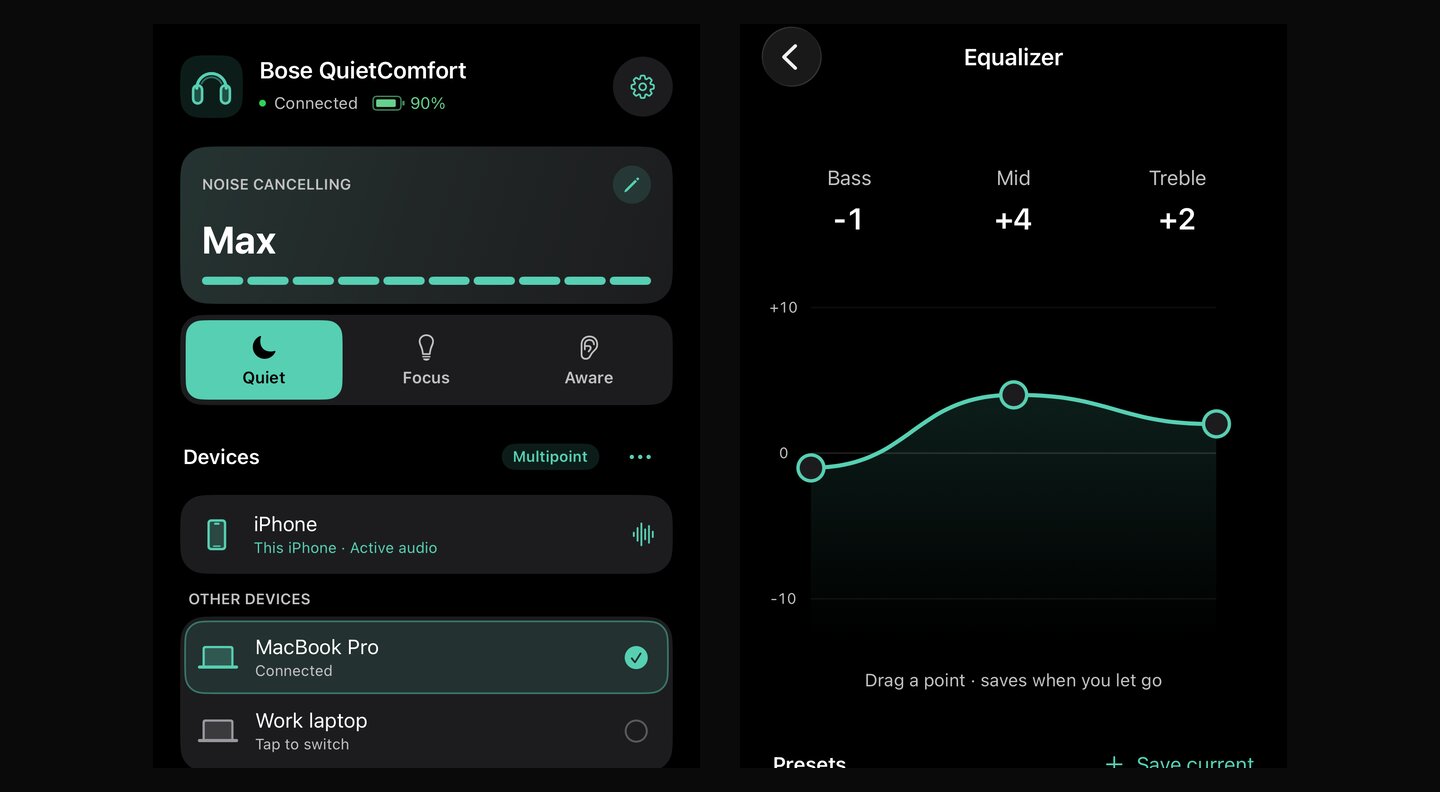
QuietControl is a small iPhone app for my Bose QuietComfort headphones. It switches the noise cancelling mode, sets the EQ, edits custom modes and picks which of my devices the headphones are connected to. It talks to the headphones directly over Bluetooth. No account, no server. It's open source and not affiliated with Bose.
Goals
I wanted to be free from the Bose app. They're my headphones, and I didn't want to log in to an app and go through two screens just to change one thing. It was a waste of my time and my sanity. The goals were:
- Put the everyday controls on one screen, and make it feel like a normal iPhone app.
- Only show a change once the headphones confirm it.
- Use only public iOS APIs, with no sign-in and nothing uploaded.
How it is built
- App: Swift and SwiftUI for iOS 17, with CoreBluetooth for the connection.
- Protocol: a Swift package that reads and writes the headphones' messages, with its own tests. It builds on the open-source projects bosectl and bozo, whose licences it keeps.
- Testing: UI tests that drive the real app in the simulator against a simulated headset, plus a recorded check on real headphones.
Interesting problems
- Checking every change: the headphones can accept a change and still not apply it. So after every change the app reads the value back, and if it doesn't match it goes back to the last confirmed one.
- One command at a time: Bluetooth replies come back in pieces and not in step with taps. Commands go through one queue with timeouts, so a tap during a background read just waits its turn.
- Testing without Bluetooth: the simulator has no Bluetooth, so the app can use a fake headset that sends the same bytes. Most screens are tested on the Mac, and I only need the phone for the final check on real headphones.
What I learned
- Bluetooth Low Energy: services, characteristics and notifications. Most of the work is timing and recovering when something drops.
- Showing the real state: offline, waiting and unconfirmed states took as much work as the normal ones.
- Building on other people's work: I started from existing open-source protocol notes and kept their credit and licences.